Your dashboard says churn is 4%. Great. Now what? For most SaaS teams, that’s where the conversation ends. They track the number but completely skip the analysis, leaving them stuck in a reactive loop of explaining last quarter’s losses instead of preventing next quarter’s.
You know what churn is. This guide isn’t about defining it. It’s a practical framework for Customer Success Managers and leaders who need to move beyond tracking a number and start diagnosing the root causes. It’s for people who own a book of business and need a playbook to act, not just understand.
Why Tracking Churn Is Not the Same as Diagnosing It
Tracking churn makes you a scorekeeper. Diagnosing it turns you into a strategist who can save accounts. Most teams are stuck being scorekeepers, staring at a static number that only confirms what already happened. It tells you nothing about which customers left, why they left, or what signals you missed.
A true churn rate analysis framework moves beyond the “what” and into the “why” and “who.” It adds layers of context so you can take specific, targeted action.
The Difference: Tracking vs. Diagnosing Churn
When you only track churn, you’re just reading yesterday’s news. When you diagnose it, you’re building an early warning system. Here’s the difference in practice:
- Tracking Churn: “Our churn rate last month was 4%.”
- Diagnosing Churn: “Our Q2 cohort of SMB customers is churning at a 15% higher rate in their first 60 days compared to our Q1 cohort, likely due to a poor onboarding experience for the new UI we released.”
See the difference? The second statement gives you a specific problem to solve. Here’s how you get there:
Cohort-Based Analysis: Instead of a single, blended churn rate, you group customers by their signup month. This might reveal that customers who joined after a recent product launch churned much faster than an earlier cohort, instantly pointing to a buggy feature or a confusing onboarding flow.
Leading vs. Lagging Indicators: Your churn rate is a lagging indicator; it confirms a loss that already happened. Leading indicators are your early warning system. Think of a sudden drop in core feature adoption, fewer logins from key users, or negative sentiment in support tickets. These signals give you a chance to intervene before it’s too late.
Segmentation by Account Type/Tier/Lifecycle Stage: Not all churn is created equal. Losing a small account on a free plan is a different problem from losing a strategic enterprise customer. You must segment your analysis by account value, plan tier, and where customers are in their journey to find your biggest risks.
The goal is to shift from asking, “What is our churn rate?” to “Which of my accounts are at risk right now, and what specific action can I take to save them?”
This shift means moving past the static dashboards that only show you what happened yesterday. It’s time to recognize the blind spots that dashboards create in customer analytics. It’s about building a proactive system that connects risk signals to concrete actions.
What Actions Should CSMs Take?
As a CSM, you own a book of business. You need clear signals that tell you exactly what to do. A proper churn analysis framework gives you that playbook. Each churn signal should have a corresponding action.
- Low-Level Signal (e.g., slight usage dip): This might trigger an automated email with a helpful guide.
- Mid-Level Signal (e.g., a key user goes inactive): This should prompt a personal check-in from you.
- Critical Signal (e.g., viewing the cancellation page): This demands an immediate, high-touch phone call.
Ultimately, effective churn analysis gives you the foresight to act, not just report. The challenge is that these signals are buried across a dozen different tools. This is why modern AI tools like Hyperengage are built to surface these risk signals automatically, freeing you up to have the strategic conversations that prevent churn before it ever hits the books.
Building Your Churn Prediction Toolkit: Leading vs. Lagging Indicators
As a CSM, that sinking feeling when a “surprise” cancellation email hits your inbox is all too familiar. The truth is, it was never a surprise. The signs were there; you just couldn’t see them in time.
To get ahead of customer loss, you have to stop looking in the rearview mirror. This means shifting your focus from lagging indicators (like a finalized churn report or lost MRR) to the leading indicators you can actually influence.
Lagging indicators only confirm a problem after it’s too late. Leading indicators, on the other hand, give you a crucial window to solve it. This is where you move from reacting to historical data to acting on predictive insights. For those looking to go deeper, understanding the fundamentals of machine learning and predictive analytics can be a game-changer for accurate forecasting.
The goal is simple: build a system that flags subtle shifts in customer behavior, so you can intervene when it matters most.
Leading vs. Lagging Churn Indicators
The difference here is everything. It’s about timing and your ability to act. A lagging indicator is like an autopsy report; it tells you exactly why a customer relationship died, but it won’t bring it back. A leading indicator is the check-engine light, giving you a chance to pull over and fix the problem before the engine seizes.
For CSMs responsible for a book of business, mastering this distinction changes the job entirely. You stop being a reactive firefighter and become a strategic partner who can steer accounts away from the cliff edge. No more surprises.
Leading indicators are your early warning system. They are the changes in behavior, usage, and communication that happen before a customer decides to leave. Focusing on them is the only way to be proactive.
For any CSM, knowing which signals to watch for is the first step. Lagging indicators are what your boss reviews at the end of the quarter, but leading indicators are what you should be reviewing every single day.
Practitioners who have moved away from color-coded dashboards understand this instinctively. On Across the Funnel, Angeline Gavino, VP of Customer Success and Support at Katalon, challenged the conventional approach to health scoring:
We don’t do red, amber, green signals. These are your accounts at churn risk because of these particular reasons, signals around product adoption and product usage. That’s what actually tells you what to do next.
How to Segment and Act on Churn Signals
Not all warning signs are created equal. A slight dip in the usage of a minor feature is a whisper; your main point-of-contact ghosting you is a scream. A smart churn playbook accounts for this by tiering signals by severity.
Here’s a practical framework for your response plan:
Low-Severity Signals:
What it looks like: A small decrease in overall usage or a drop in engagement with non-critical features.
CSM Action: This is a perfect opportunity for an automated, personalized nudge. Think an email sharing a relevant case study or an in-app message highlighting a tip for a feature they haven’t touched in a while. The goal is light-touch re-engagement, not a five-alarm fire drill.
Medium-Severity Signals:
What it looks like: A key user goes inactive for more than a week, or the account stops using a core feature they once depended on.
CSM Action: Time for a personal check-in. A direct email asking if their priorities have shifted or if they’ve hit a roadblock is a great start. Keep the tone helpful and curious, not accusatory.
High-Severity Signals:
What it looks like: Your champion leaves the company, someone on the account is snooping around the pricing or cancellation page, or there’s a sudden, steep drop in all product activity.
CSM Action: This is an all-hands-on-deck moment. Pick up the phone. Now. Your only goal is to get a direct conversation going to understand the root cause before a decision is finalized.
The biggest challenge? These signals are buried across a dozen different systems; your CRM, product analytics platform, support desk, and email client. This is exactly why modern AI-powered tools are becoming so vital for go-to-market teams. Platforms like Hyperengage are designed to unify this data and surface these leading indicators automatically, so you can spend less time hunting for signals and more time saving customers.
Using Cohort Analysis to Find When and Why Customers Leave
Most SaaS teams obsess over their overall churn rate. But here’s the thing: that single, high-level number is a liar. It tells you that you’re losing customers, but it completely hides the far more important story of when and why. This is exactly why so many CS teams feel like they’re flying blind; they’re tracking churn, but they aren’t diagnosing it.
The real answers aren’t in your aggregate data; they’re buried in the behavior of specific customer groups. This is where a proper churn rate analysis framework, specifically cohort analysis, becomes a CSM’s most powerful diagnostic tool. It’s what moves you from simply reporting a historical number to pinpointing the exact moments your customer journey is breaking down.
A cohort is just a group of customers who all signed up during the same time period, like “January 2024 Signups” or “Q3 2024 New Customers.” By tracking each cohort’s retention over time, you can finally see the patterns your overall churn rate completely misses.
From Tracking to Diagnosing with Cohorts
Tracking churn is reactive. It’s like glancing at the scoreboard after the game is over. Diagnosing churn with cohorts is like reviewing the game tape; you see the exact plays that led to the loss, giving you a real strategy to win the next one.
Imagine this scenario: your overall churn rate has been hovering at a flat 3% for six months. On the surface, things look stable, maybe even good. But a quick cohort analysis reveals a deeply troubling trend:
- The January cohort retained 95% of its users after 90 days.
- The April cohort, however, retained only 80% after the same period.
Suddenly, you have a specific, tangible problem to investigate. What on earth happened in Q2? Did you release a buggy new feature? Did a competitor launch a compelling new offer? Or maybe there was a subtle change in your onboarding that left new users feeling confused and frustrated. This is the power of a cohort-based churn rate analysis.
By grouping users who start at the same time, you can finally compare apples to apples. You isolate variables and uncover whether changes to your product, pricing, or onboarding are actually improving or hurting retention over time.
This type of analysis turns vague feelings like “I think customers are churning faster lately” into a data-backed starting point for real action. It’s the difference between guessing and knowing.
Segmenting Churn to Pinpoint Risk
Once you get comfortable looking at cohorts, the next step is to start adding more layers of segmentation. This is where you can truly sharpen your churn rate analysis and get incredibly specific with your interventions. Don’t just stop at signup dates.
Start slicing your churn data by:
Account Type or Tier: Are your enterprise customers churning at a different rate than SMBs? Is your “Premium” plan leaking customers faster than your “Basic” plan? This tells you exactly where your value proposition is strongest and weakest.
Lifecycle Stage: Does churn spike right after onboarding (days 0-30)? That points to a clear value gap or a mismatch of expectations. Or does it tend to happen around month six, suggesting customers aren’t adopting advanced features and are hitting a value plateau?
Acquisition Channel: Are customers who came from a specific marketing campaign churning faster? This might be a sign you’re attracting the wrong type of user for your product in the first place.
Combining these segments gives you a powerful new lens. For example, you might discover that “SMB customers acquired via paid ads in Q2 are churning at a 2x higher rate within the first 60 days.” Now that’s a highly specific, actionable problem you can actually solve.
Of course, beyond these quantitative metrics, the qualitative insights from conducting churned user surveys are crucial for truly understanding the “why” behind the numbers. This direct feedback is what gives your data a human voice.
Taking Action Based on Churn Signals
As a CSM, your job isn’t just to analyze data but to act on it. A well-structured churn rate analysis should directly inform your entire playbook. Based on the signals you uncover, you can build out a tiered response system.
Early Churn Signal (e.g., Post-Onboarding Drop-off): If a cohort shows a steep drop in the first 30 days, the immediate action is to review and strengthen your onboarding. This could mean creating new help guides, offering targeted webinars, or assigning a CSM for a one-on-one check-in during week two.
Mid-Lifecycle Signal (e.g., Value Plateau Churn): When you see churn spiking around the 6-month mark for a cohort, it’s a red flag that you’ve failed to drive deeper adoption. Your action is to launch a campaign focused on advanced features, share use cases from power users, and conduct strategic business reviews to realign on value.
Event-Driven Signal (e.g., Post-Feature Launch Churn): If a cohort acquired right after a major product update churns quickly, the product team needs to be looped in immediately. The CSM’s job here is to gather direct feedback from these churned users to identify the friction points for an urgent fix.
Let’s be honest, this level of analysis is impossible to do manually at scale, which is why AI-driven GTM intelligence tools like Hyperengage are becoming so essential. They automate the heavy lifting of segmenting users, tracking cohort behavior, and surfacing these critical risk signals automatically. This frees you up to focus your time on what matters most: the strategic conversations that save accounts.
How to Segment Churn to Identify Your Biggest Risks
Let’s be honest: not all churn is created equal. Your overall churn rate is just an average, and averages are notorious for hiding the truth. Losing a small monthly subscriber stings, but losing a flagship enterprise account can blow a hole in your entire quarter.
To get ahead of churn, you have to move beyond tracking a single, blended number and start diagnosing the problem. That means segmenting your analysis to find out where the real damage is happening. This is how you start answering the critical questions: Are we losing high-value customers from our premium plan? Is our onboarding process failing new users? Where are the biggest fires I need to put out today?
Segmenting Churn by Revenue Impact
For any B2B SaaS business, the first and most important way to slice your churn data is by revenue. Logo churn tells you how many customers you lost, but MRR/ARR Churn reveals the financial impact of those losses. It’s not uncommon to find that 80% of your churned revenue comes from just 20% of your churned logos.
That single insight is a game-changer. It immediately tells you where to focus your retention efforts. Instead of a spray-and-pray approach, you can prioritize saving the high-value accounts that have an outsized impact on your bottom line. The first question you should ask is: are we losing more revenue from our enterprise tier or our SMB tier? Answering that is your first step toward building a targeted intervention playbook.
Distinguishing Voluntary vs. Involuntary Churn
Next, you need to understand why customers are leaving. This means separating churn into two distinct buckets that demand completely different solutions.
Voluntary Churn: This is the one that keeps you up at night. A customer actively decides to cancel because of a poor product fit, a competitor’s offer, or a lack of perceived value. This churn is a direct signal of a deeper problem with your product or customer experience.
Involuntary Churn: This happens when a customer churns by accident, almost always due to a failed payment. Expired credit cards, insufficient funds, or outdated billing info are the usual culprits. This type of churn is often recoverable with a solid dunning process.
Separating these two can be surprisingly difficult, but it’s essential. According to a detailed 2026 analysis from Recurly, the average monthly churn rate is 3.4%. But digging deeper reveals that voluntary churn accounts for 2.5%, while preventable involuntary churn from payment failures makes up 0.9%; a huge and often recoverable slice of lost revenue.
Segmenting by Customer Tier and Lifecycle Stage
Once you’ve got a handle on the revenue impact and the why, it’s time to get even more specific. Layering on customer attributes is where you start to uncover powerful patterns that point directly to weaknesses in your GTM strategy.
Segment by Customer Tier or Plan: Are customers on your “Pro” plan churning more than those on your “Enterprise” plan? That could mean the value proposition for that tier is off, or the price point doesn’t align with the features. Maybe the jump from Pro to Enterprise is too steep, causing frustrated customers to look for alternatives.
Segment by Customer Lifecycle Stage: Are you seeing a spike in churn within the first 30 days? That’s a massive red flag for your onboarding. It tells you customers aren’t hitting their “aha!” moment and are giving up before they ever experience real value. On the other hand, if churn peaks around the six-month mark, you might have a value plateau problem. Customers have mastered the basics but haven’t been guided toward the advanced features that make your product sticky.
By combining these segments, you can uncover highly specific problems. For instance, you might discover that “Enterprise customers are voluntarily churning at an alarming rate during their first 90 days.” Now you have a precise, high-value problem to solve.
This level of detail turns your churn analysis from a backward-looking report into a strategic weapon. You’re no longer just talking about what happened last month; you’re identifying your biggest risks and building a data-driven plan to protect your revenue, focusing your energy on the accounts that matter most.
Your Playbook for Proactive Churn Intervention
Insight without action is just trivia. You’ve sliced the data, you know who’s at risk, and you see the revenue impact. Now what? For any CSM who owns a book of business, this is where the rubber meets the road; turning churn analysis into saved accounts.
This is the exact spot where most SaaS teams get stuck. They track churn, they might even run some analysis, but they completely miss the most important part: operationalizing a response. A real intervention playbook isn’t about scrambling when you get a cancellation email. It’s about having a clear, tiered game plan mapped to specific signals, so you know exactly what to do the moment an account starts to drift.
From Tracking to Diagnosing Churn
First things first, you have to know what kind of churn you’re dealing with. The response is completely different depending on the answer. This decision tree is a great way to classify churn and figure out if you need to focus on product value or just fix a payment issue.
This distinction is everything. Involuntary churn is a process problem you can fix with automation, like dunning emails. But voluntary churn? That’s a value problem, and it requires strategic intervention from you, the CSM.
Your analysis needs to shift from simply tracking the final number to diagnosing the signals that come before it. That means moving away from backward-looking reports and toward monitoring real-time behaviors that tell you what a customer is about to do.
A Tiered Response System for Churn Signals
A practical intervention playbook maps specific risk signals to repeatable, common-sense actions. This tiered approach makes sure you’re putting the right amount of effort into the right problem, focusing your high-touch plays where they’ll actually make a difference.
Low-Severity Signal: The Automated Nudge
The Signal: You notice a slight dip in engagement with non-critical features, or maybe a customer hasn’t logged in for 14 days. They aren’t in immediate danger, but they’re drifting.
The Play: This is a perfect job for automated, but still personalized, re-engagement. Trigger an email or an in-app message with a relevant help guide, a link to a new feature they haven’t tried, or a case study that speaks directly to their goals. The aim is a light-touch reminder of the value they’re missing.
Medium-Severity Signal: The Personal Check-In
The Signal: A key user, your champion or the main admin, goes quiet for a week. Or an account stops using a core feature they once lived in. This usually means their workflow or priorities have changed.
The Play: This calls for a personal, 1:1 check-in. Don’t automate this. Send a direct, open-ended email: “Hey [Name], noticed you haven’t been in the platform as much lately. Did your team’s priorities shift, or did you hit a roadblock I can help with?” The tone is crucial: be curious and helpful, not accusatory.
High-Severity Signal: The “All Hands on Deck” Response
The Signal: Your champion leaves the company. An admin is lurking on the cancellation page. Or you see a sudden, sharp drop in all product activity across the entire account. This is the five-alarm fire.
The Play: Don’t send an email. Pick up the phone. Your only goal is to open a direct line of communication and understand the root cause before a final decision is locked in. This is where a great CSM earns their keep.
Your job isn’t to just notice these problems. It’s to confidently execute a play that saves the account. A tiered response system gives you the muscle memory to act decisively.
Taking Action on Lifecycle Churn Signals
Your cohort analysis will also point to risks tied to specific moments in the customer lifecycle. Acting on these requires a slightly different playbook.
If churn spikes in the first 30 days: You have an onboarding crisis. Your playbook needs to include a full review of that initial user experience. For CSMs, this is a clear signal to proactively check in with all new accounts around the 14-day mark to make sure they’re on track.
If churn peaks around 6-9 months: This almost always points to a value plateau. Customers have mastered the basics but haven’t adopted the stickier, more advanced features. The play here is to schedule a strategic business review. You can share best practices from power users and introduce them to new functionality that will deepen their ROI and re-engage them.
The biggest challenge is that these signals are often buried across your CRM, help desk, and product usage logs. This is exactly why AI-powered tools like Hyperengage are becoming so critical for modern CS teams. They automatically surface these risk signals in one place, freeing you from manual data-digging so you can focus on the strategic conversations that actually prevent churn.
Automating Churn Analysis to Free Up Your Team
Manually digging through CRM notes, sifting through product usage logs, and reading support tickets to find churn signals is a losing game. It’s not consistent, and it certainly doesn’t scale. As your book of business grows, the sheer volume of data becomes overwhelming, and the critical warning signs get buried in the noise.
This is exactly why top-performing customer success teams are moving away from manual analysis and toward AI-powered platforms. Tools like Hyperengage automate the entire churn rate analysis process, freeing your team from the manual data drudgery so you can focus on what matters: acting on signals.
From Hunting Clues to Acting on Signals
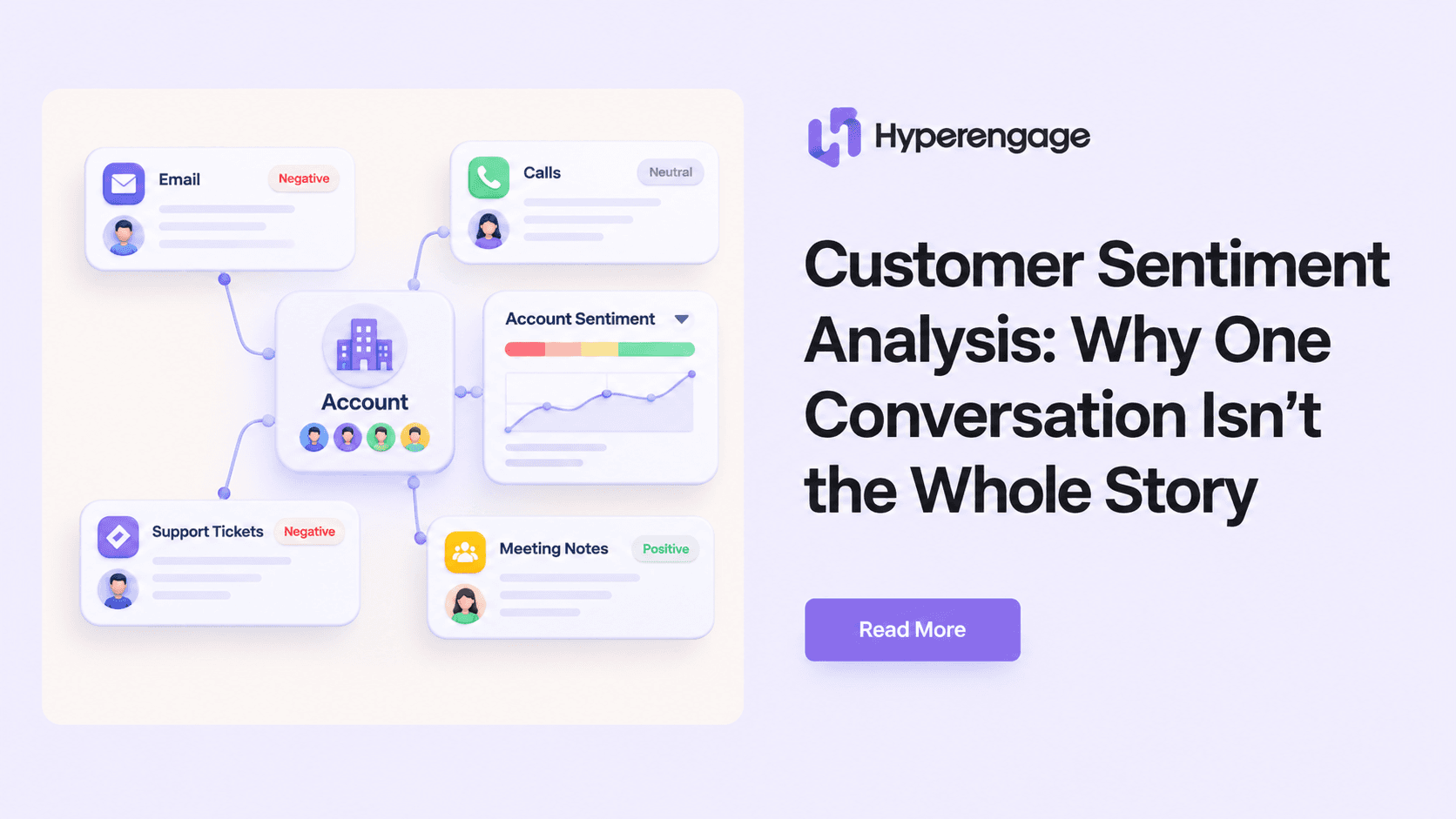
The old way of working forces your CSMs to be detectives, spending hours piecing together clues from a dozen different systems just to understand one account. An AI platform completely flips that script. It acts as a central nervous system, unifying all your disparate customer data; product usage, CRM data, support tickets, emails, meeting notes; into a single, coherent view.
Instead of your team hunting for signals, the system surfaces them for you in real-time. It means you can finally spend your time on what actually moves the needle: having strategic conversations that prevent churn and grow your accounts.
The goal of automation isn’t to replace your team; it’s to empower them. By handling the data synthesis and signal detection, these platforms give you back the time to build relationships and deliver real value.
Imagine getting a Slack alert because an account’s core feature usage dropped by 30% in the last week, right as negative sentiment spikes in their support tickets. That’s a powerful, actionable signal delivered directly to you, turning hours of manual research into an instant notification. This is the power of breaking down data silos for a 360-degree customer view.
How AI Surfaces Signals Automatically
AI platforms don’t just track metrics; they identify patterns that precede churn. They analyze thousands of data points to find correlations a human could never spot.
A platform like Hyperengage consolidates multiple risk factors; low product engagement, negative communication sentiment, overdue payments; into one clear health score. It combines these signals into one actionable view, telling you not just that an account is at risk, but why.
This unified perspective is what allows you to prioritize your efforts effectively. Instead of guessing which red account is most at risk, you have a data-backed score telling you exactly where to focus your attention for maximum impact. By automating churn rate analysis, you transform your CSMs from reactive problem-solvers into proactive, strategic partners who can stop churn before it starts.
Conclusion
Churn rarely shows up announced. It builds quietly, in missed logins, unanswered emails, and support tickets that never quite get resolved. The shift from tracking churn to actually preventing it starts with one decision: stop treating your churn rate as the final word and start treating it as the beginning of a diagnosis. Build your cohorts, tier your signals, and map every risk to a specific action. The teams doing this today are not just retaining more customers, they are building a muscle that compounds over time. Start with one segment, one signal, one playbook. That is enough to get moving.