Picture a CS team that buys a feedback tool in January. By March it holds 400 survey responses, a sentiment chart and a weekly digest that nobody opens. In May, a customer who scored the product a 3 in February shows up on a renewal call, and the account owner hears about the score from the customer.
The tool did its job and collected the feedback. Everything that was supposed to happen after collection never got evaluated, because the buying checklist stopped at the survey builder.
Most comparisons of customer feedback tools line up survey types, templates and CRM integrations. Those features describe the intake side. The costly mistakes happen after a response arrives, and that is where this guide spends its time. It lays out what to check before you sign, in the order that exposes weak tools fastest. For background on why periodic surveys leave gaps in the first place, quarterly surveys miss the signal covers the ground.
Customer Feedback Tools Get Judged on the Survey and Rarely on the Answer
Demos are built around collection. You see the drag-and-drop builder, the in-app widget and the NPS and CSAT templates. A survey builder is easy to judge because you can watch it work, while what happens to a response afterward sits in settings pages and integration docs that nobody opens during a sales call.
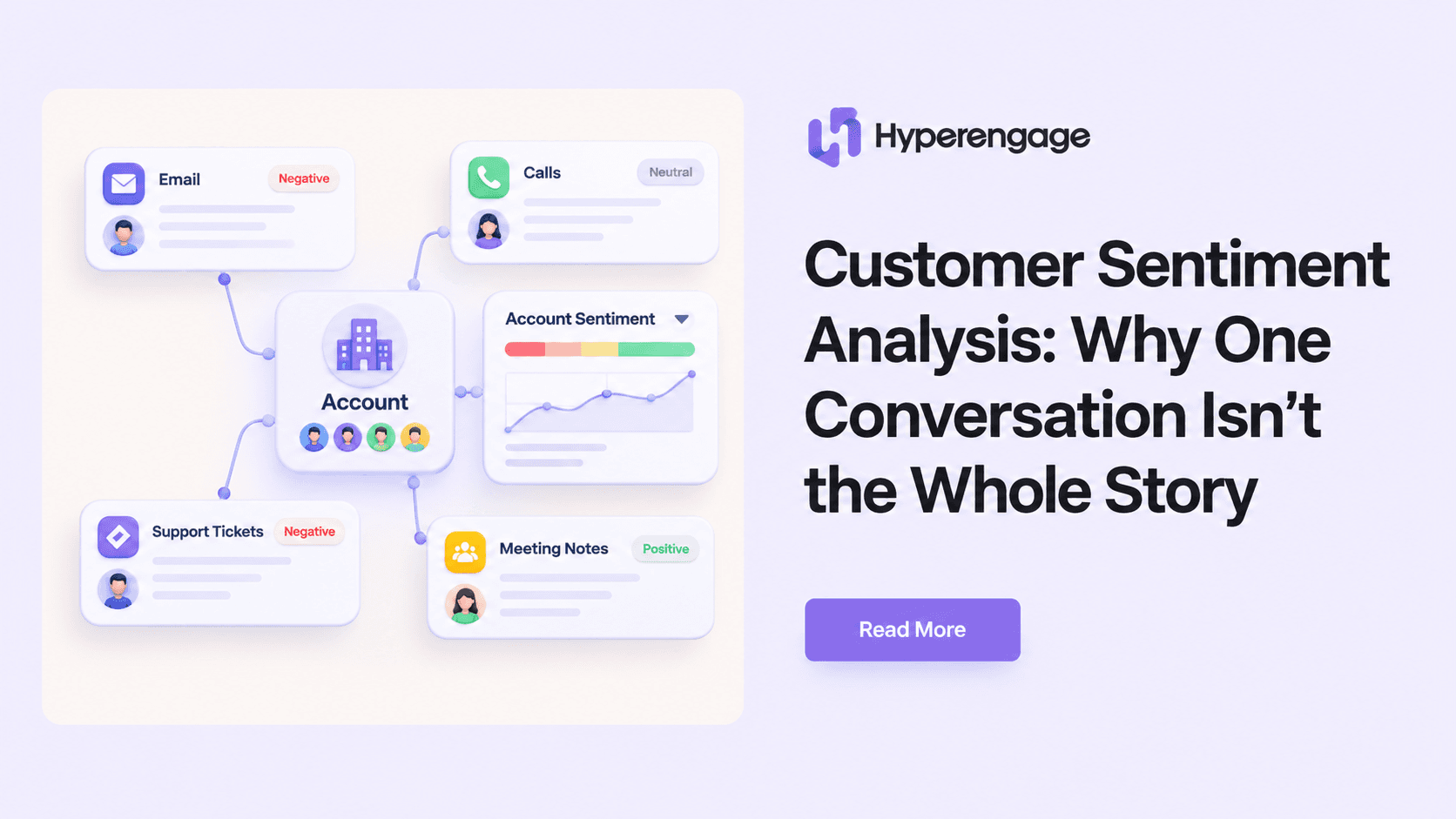
B2B accounts make that gap more expensive. One account has an economic buyer, a champion and a dozen daily users, and each of them holds a different opinion of the product. A score from one user is a fragment. Whether the tool keeps that fragment attached to the right account, next to everything else you know about it, determines whether anyone can use it. That is the premise behind customer sentiment analysis at the account level, and it makes a good first filter for any vendor.
Ask one question before any other: where does a response go the moment it arrives?
Check Whether Feedback Lands on the Account or in a Dashboard
Many tools store feedback by respondent and report it by survey. A CS team works by account. Ask the vendor to set up one account with feedback from three different people, then show you what the account owner sees. You want a roll-up at the account level, with the feedback sitting beside product usage, support history and the renewal date.
If the answer involves exporting a CSV, the feedback lives outside the place where decisions about the account get made. It is the same silo problem that produces a health score nobody trusts, and breaking down data silos for a 360-degree customer view explains the underlying fix.
Paul Staelin, Chief Customer Officer at Vercel, was describing what a company gets from customers who succeed when he said this on the Across the Funnel Podcast:
“They’re gonna help you improve your product. Everything flows from understanding how and why your customers are using your product and how and why they’re succeeding or failing or blocked. And it needs to be a very real part of someone’s job description the second a customer’s using it.”
The last sentence is the one to hold a vendor to. Understanding why a customer is blocked has to belong to a named person, and the tool has to put the evidence in that person’s hands without anyone asking for it.
Ask Who Finds Out and How Fast
Give the vendor a scenario. A champion at a $60K account rates the product 4 out of 10 and types two annoyed sentences into the comment box. Who gets told, through which channel, and how long does it take?
Good tools put that response in front of the account owner within minutes, inside Slack or the CRM, with the account’s context attached. Weak ones file it in a weekly digest or leave it in a dashboard that someone has to filter. A week is a long time when that champion is deciding whether to renew.
Routing also needs to follow the content of the feedback. A bug report belongs with product, a pricing complaint belongs with the account owner, and an angry message from an executive sponsor belongs with your own VP. Check that your team can set those rules without a services engagement, because routing logic you cannot change yourself will drift out of date within a quarter.
Look for the Feedback Customers Never Filled Out a Form For
Most of what customers tell you never arrives through a survey. It shows up in support tickets, recorded calls, QBR notes and the replies to renewal emails. Surveys only capture people willing to fill out a form, and that group rarely matches the whole account.
Ask whether the tool can ingest those sources and how it tags themes across them. A tool that reads only its own surveys will give you a tidy chart built from your most agreeable customers. One that reads tickets and calls will show you the accounts that are quietly complaining. The reason NPS alone isn’t enough is that a single score averages away exactly those accounts.
Theme tagging deserves its own test. Ask to see how the tool treats two comments that use different words for the same problem, such as “the export is slow” and “reports take forever to download.” If they land in separate buckets, someone on your team will spend hours merging them by hand.
Test What a Drop in Sentiment Actually Triggers
Collecting feedback and acting on it are separate capabilities, and vendors tend to demo only the first. Ask what a drop in sentiment can set in motion. Can it create a task for the account owner, change a field in the CRM, flag the renewal or pull a customer success leader into the account?
Be skeptical of any setup that lets sentiment move a health score alone. A low rating from one user means more when usage on that account is also falling and a support ticket has been open for ten days. Look for a tool that treats feedback as one signal among several, because a number that moves by itself tells you far less than one that moves together with a usage drop. Lagging measures behave the same way, and churn rate only describes customers who already left.
Finally, ask whether the loop can be closed with the customer. If someone reported a problem and it got fixed, can the account owner tell them from inside the tool? Customers notice when their feedback produced a reply, and they notice when it produced nothing.
Build Versus Buy Is Mostly a Question of Speed
Some teams look at the price of these tools and decide to build. Posting survey results to a Slack channel takes an afternoon, so the instinct is reasonable.
David Karp, SVP of Customer Success at Billtrust, explained how he weighs that decision on the Across the Funnel Podcast:
“The number one input into that decision is speed. How fast do you need to go to get to some of the capabilities that you need? And then, are you going to get there at the time you need to, and then be able to scale if you do it yourself or if you leverage some other tools to help you do it.”
The first alert from a Slack bot arrives fast, and the working loop behind it takes far longer to build. Matching feedback to the right account, merging the same complaint from five users, handling permissions and keeping the whole thing running as your stack changes is what takes months, and it falls to whoever on your team has the least spare time. Count the engineering hours for the full loop before you compare against the subscription. A buyer’s framework for customer retention software walks through the same trade-off across integration, ownership and cost.
Run a Two-Week Test on Your Own Accounts
Demo data always looks clean, so evaluate with your own. Choose ten real accounts: three that renewed happily, three that churned in the past year and four that sit somewhere in the middle. Load the last two quarters of feedback for each, including tickets and call notes if the tool supports them.
Then check the results against what you already know. Would the tool have flagged the churned accounts early enough to act? Did the happy accounts stay quiet? Of the alerts that fired, how many reached the right owner, and how many were noise? A tool that surfaces two of the three churned accounts a quarter before renewal has earned a serious look. One that flags everything wastes the time of whoever receives the alerts.
If the vendor needs a paid services package before you can run this test, treat that as information about what daily use will cost.
Pricing and Contract Details That Decide Whether Anyone Uses It
Seat-based pricing can quietly decide who sees feedback. When only the CS team gets licenses, account executives and support leads never see the comments that matter to their accounts, and the tool becomes a CS-only report. Ask whether account owners across teams can view feedback at no extra cost.
Response caps matter too. A cap on monthly responses nudges teams to survey less often, which defeats the purpose of buying the tool. Check export rights as well. If you leave, can you take the raw feedback with account IDs attached, or only a summary chart?
The architecture underneath all of this carries the most weight. The strongest designs treat feedback as one more signal on a shared account record, next to product usage, support and CRM data. Hyperengage‘s customer memory graph is one example of that design, and the question to ask any vendor is whether feedback sits beside those signals or apart from them.
Conclusion
A feedback tool earns its price on the day a customer says something unwelcome and the right person hears it within the hour, with the account’s full history open in front of them. Every feature on the comparison sheet is secondary to that moment, so build the evaluation around it and buy the tool that gets there first.